your money.
one place.
PANAM (பணம், Tamil for money) is a money manager for Android. Subscriptions, cards, spending, budgets, goals and net worth come together in one clear picture, and all of it stays on your phone.
No account · No ads · Works offline
A closer look
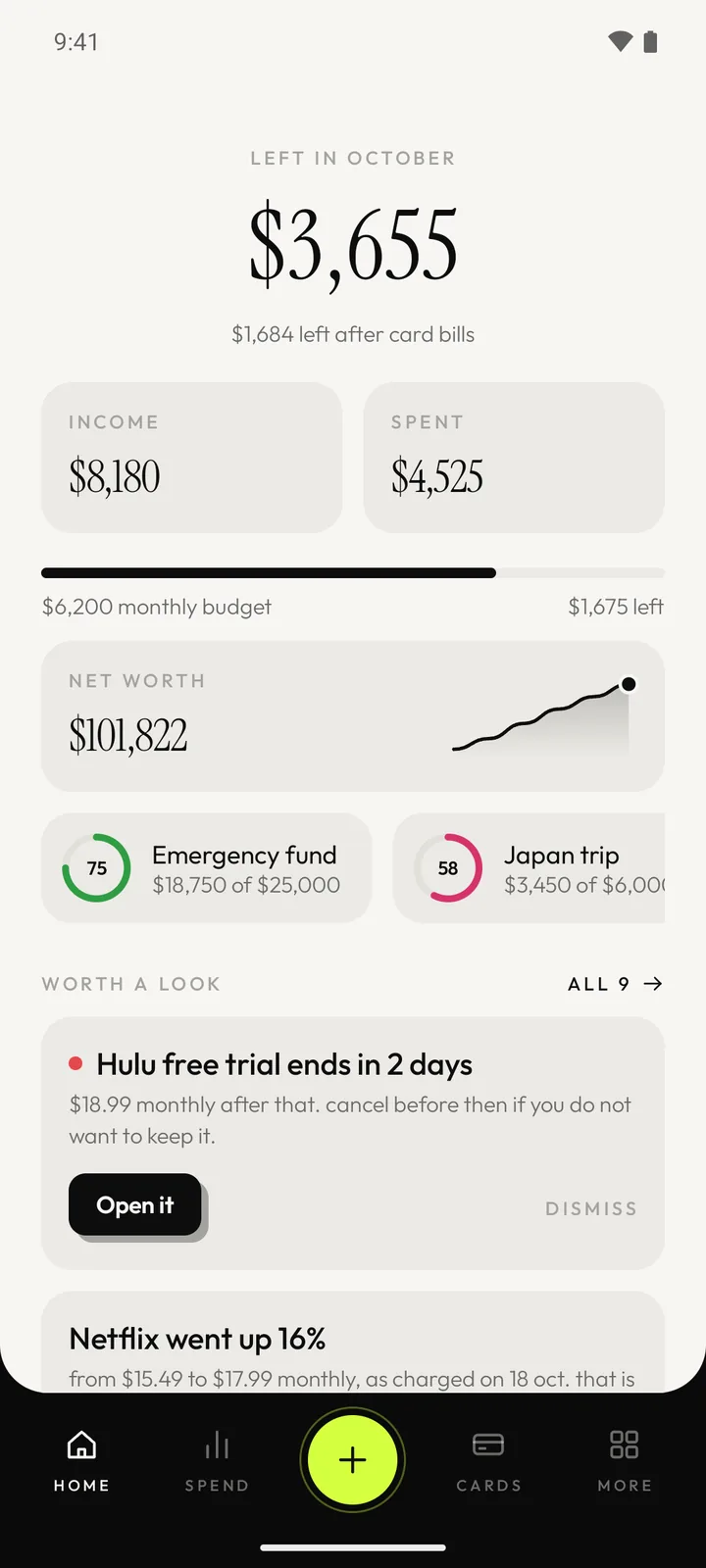
the whole picture, at a glance.
Home answers one question: how am I doing? Everything else is a tap away, and none of it feels like a spreadsheet.
- Cards
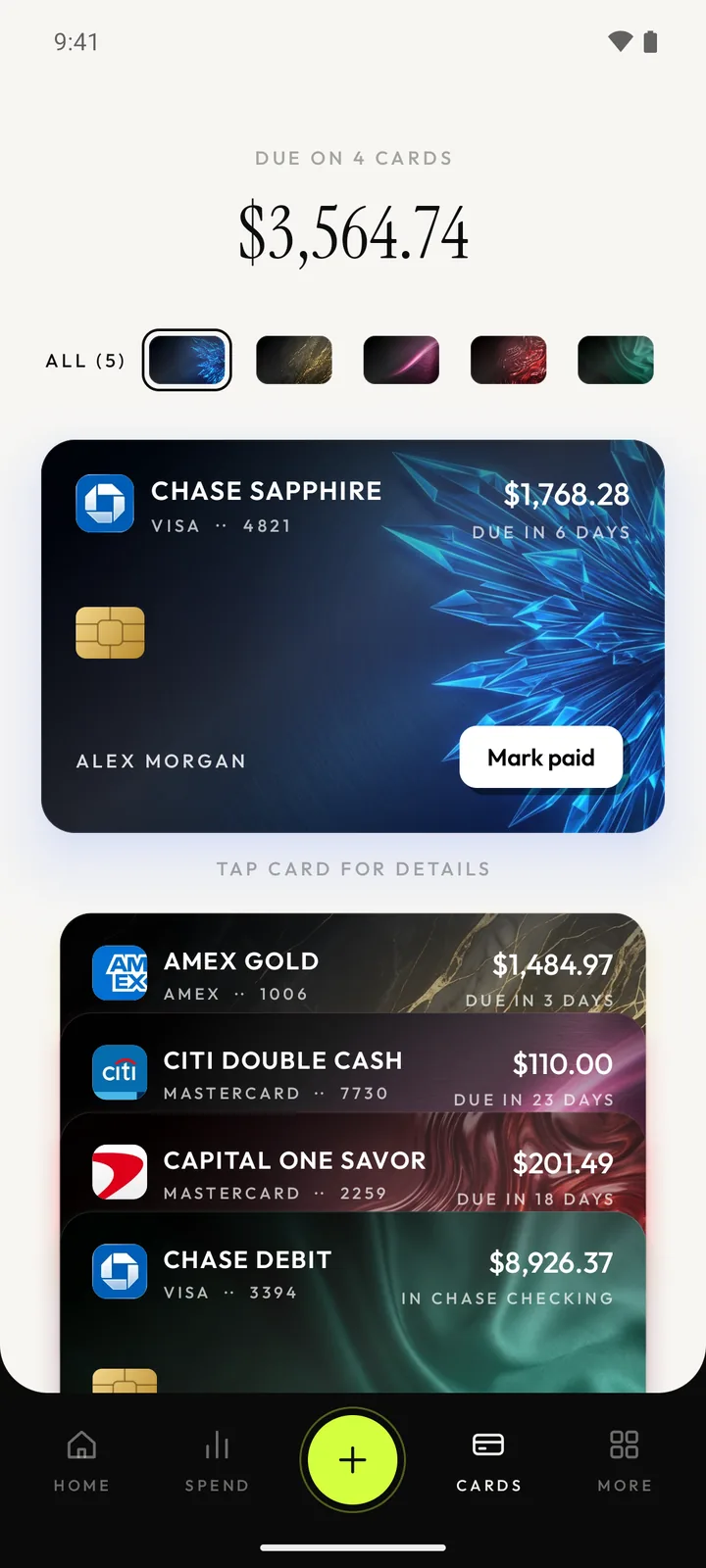
every card, every due date.
- Subscriptions
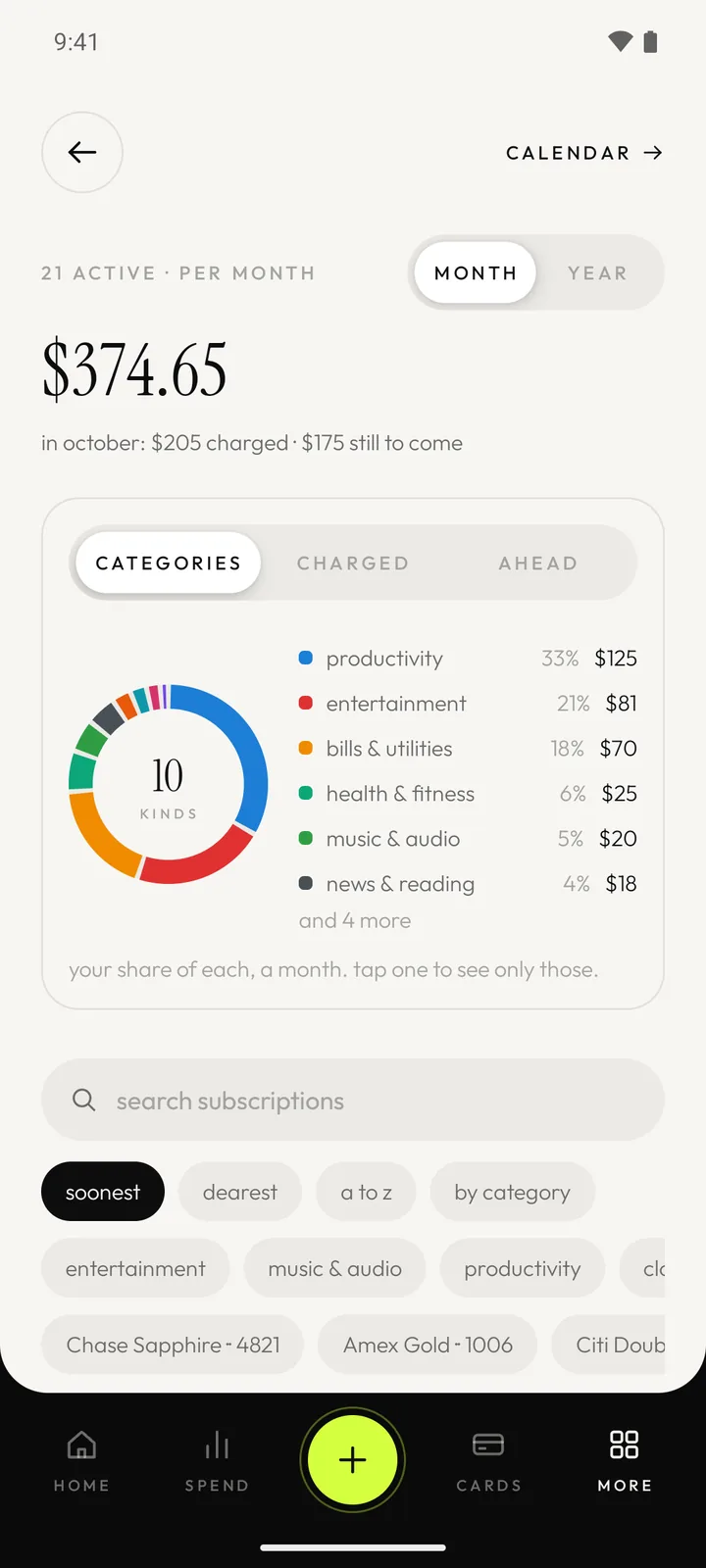
know what you really pay for.
- Smart insights
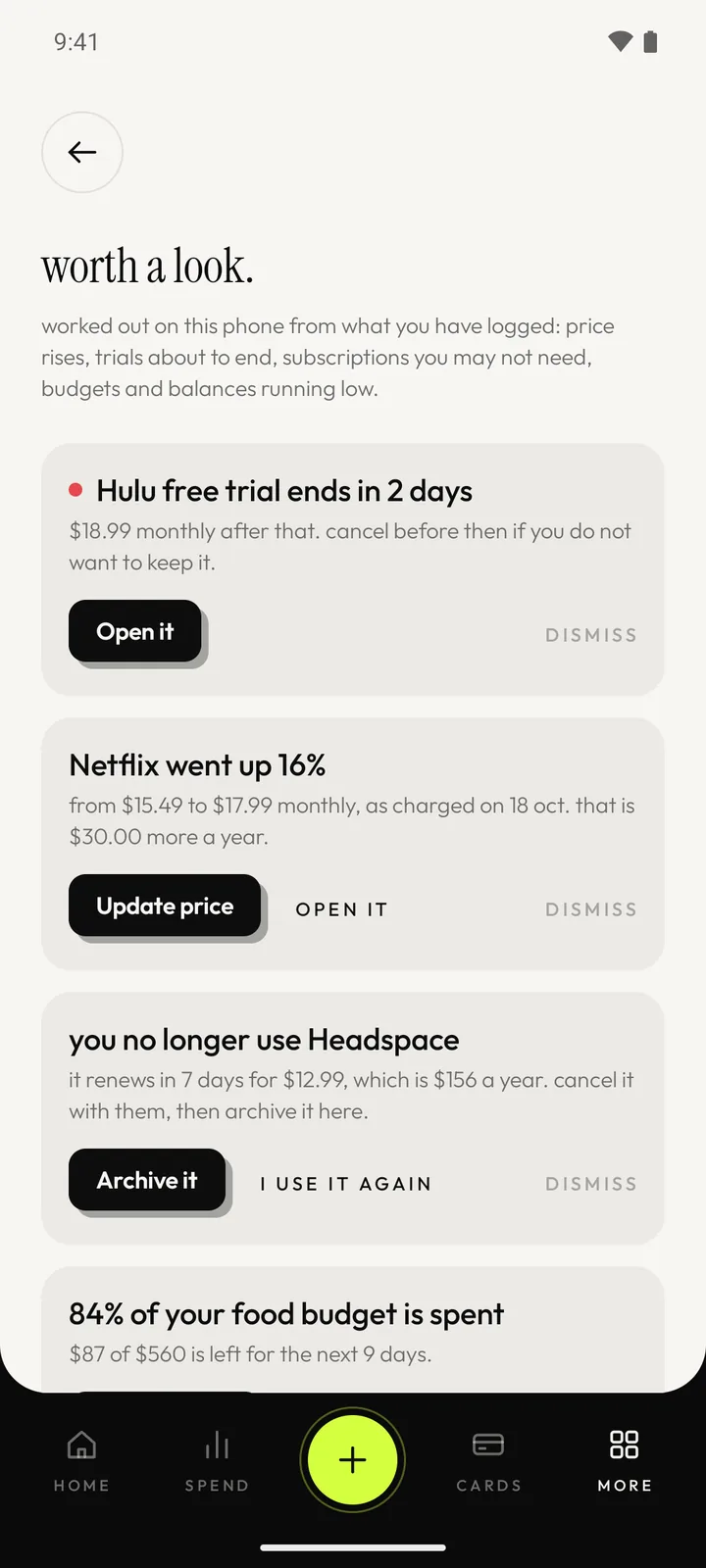
price rises and trials, caught.
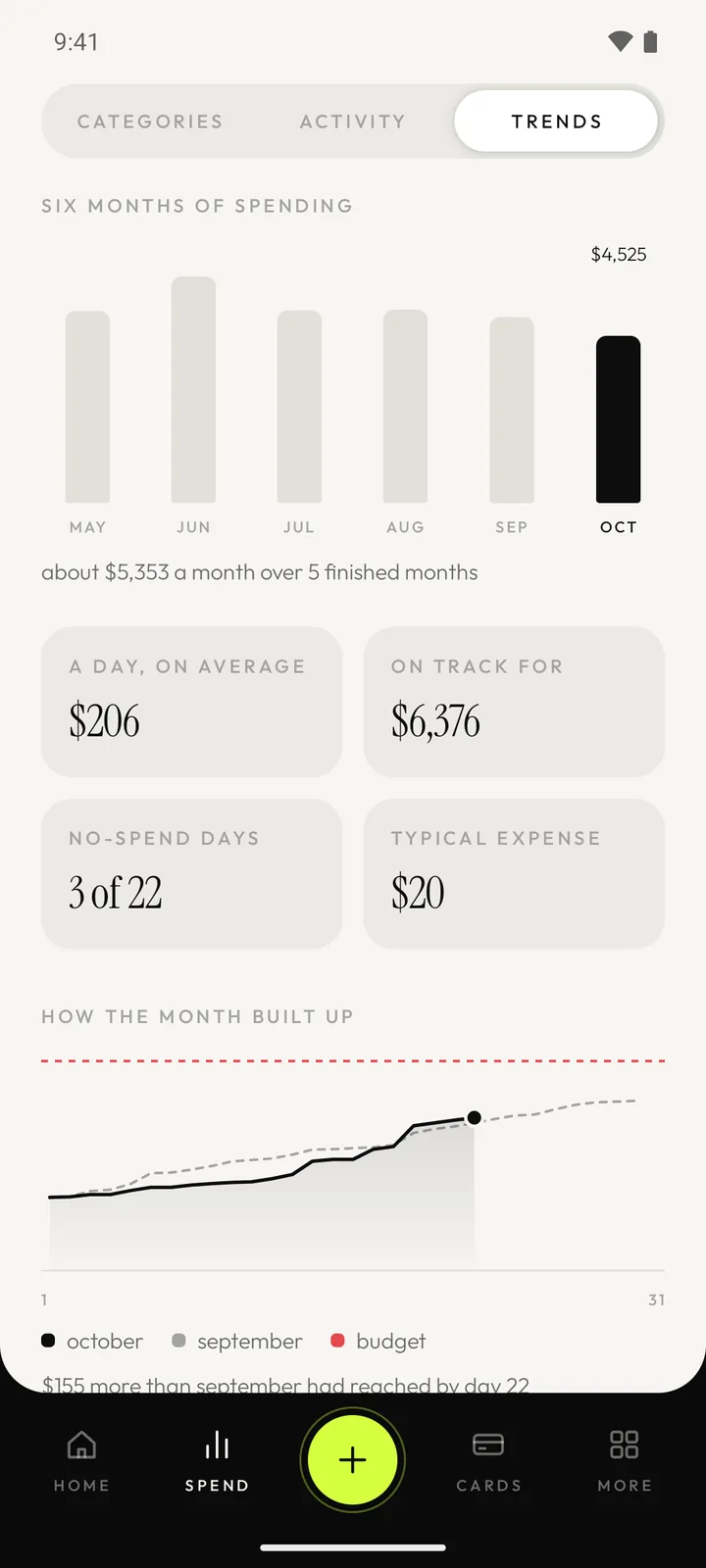
- Trends · Pro
see where the money goes.
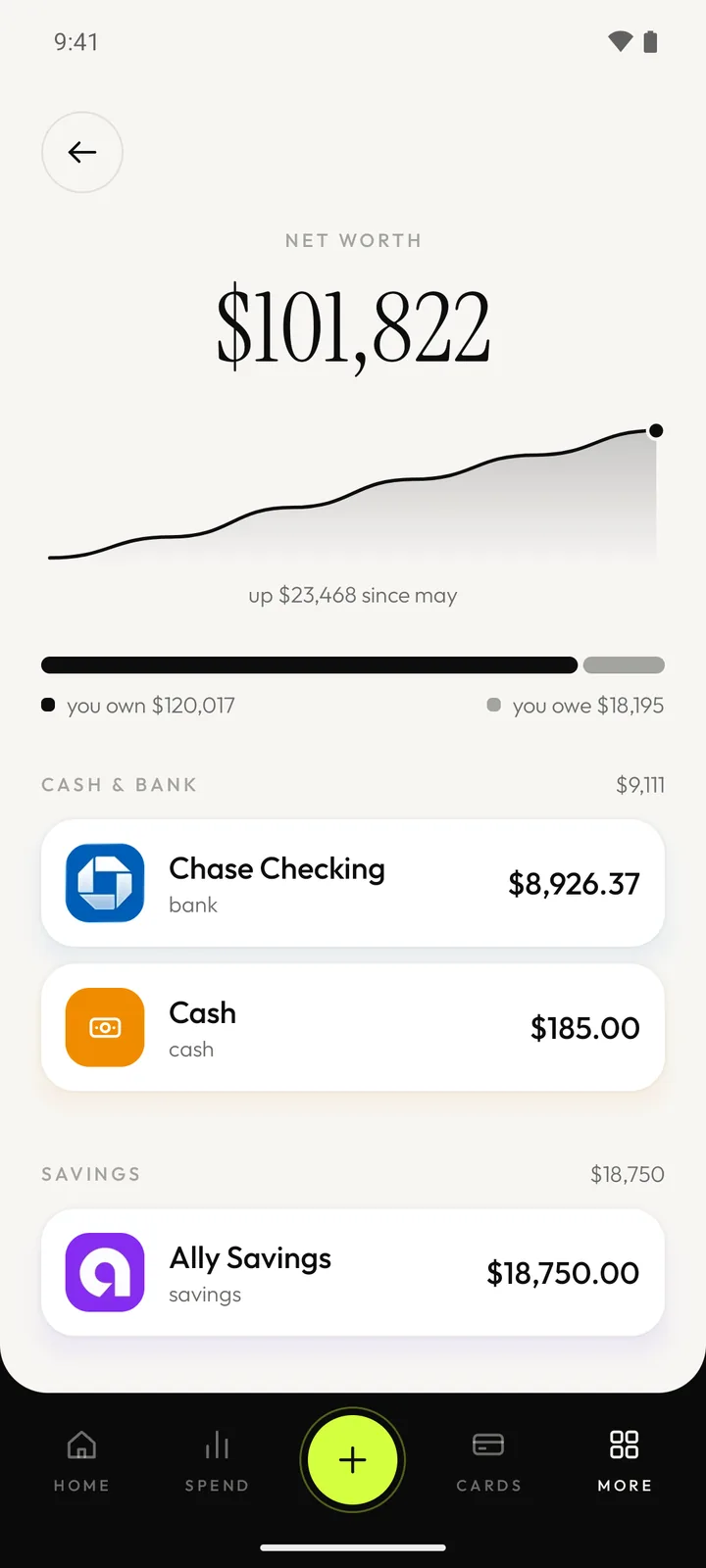
- Net worth
everything you own, in one picture.
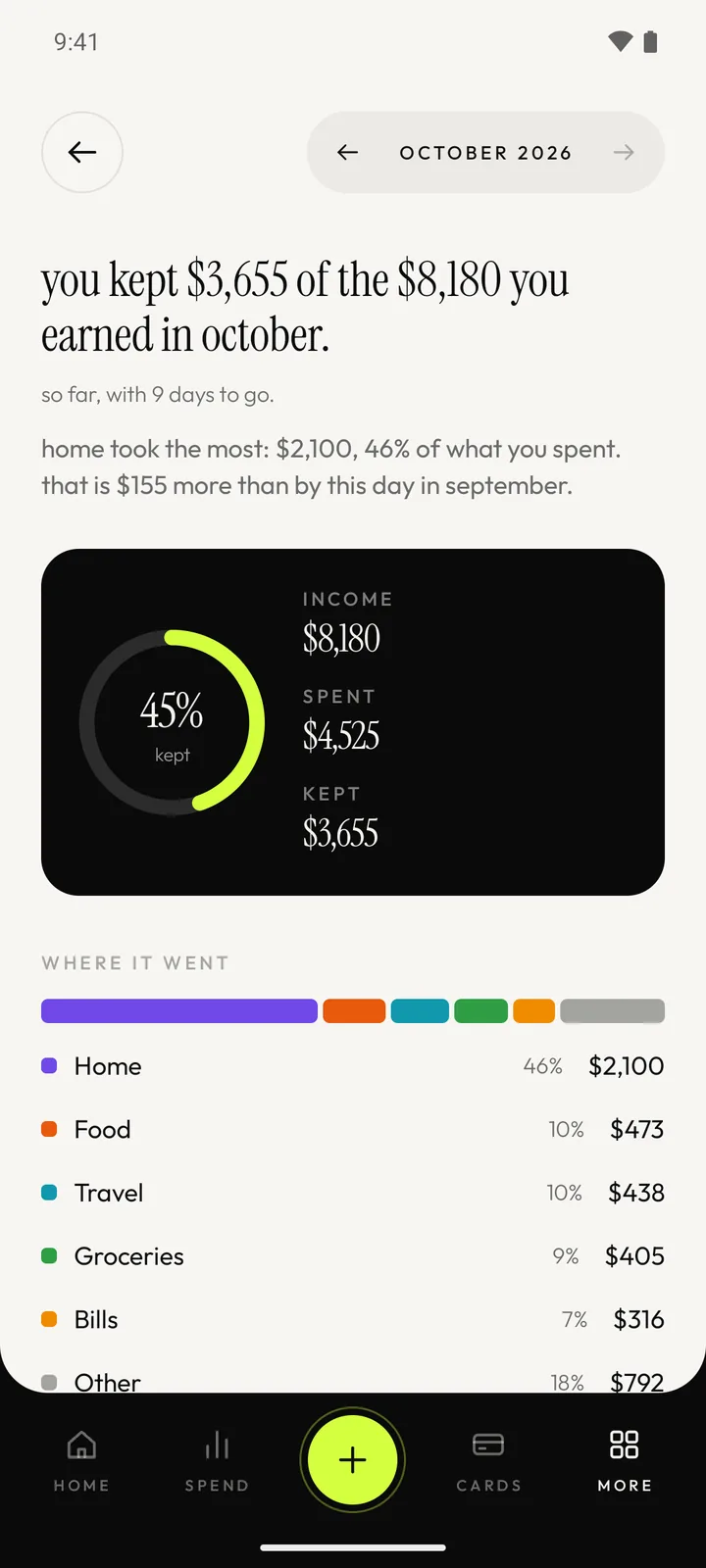
- Monthly report · Pro
the month, in a sentence.
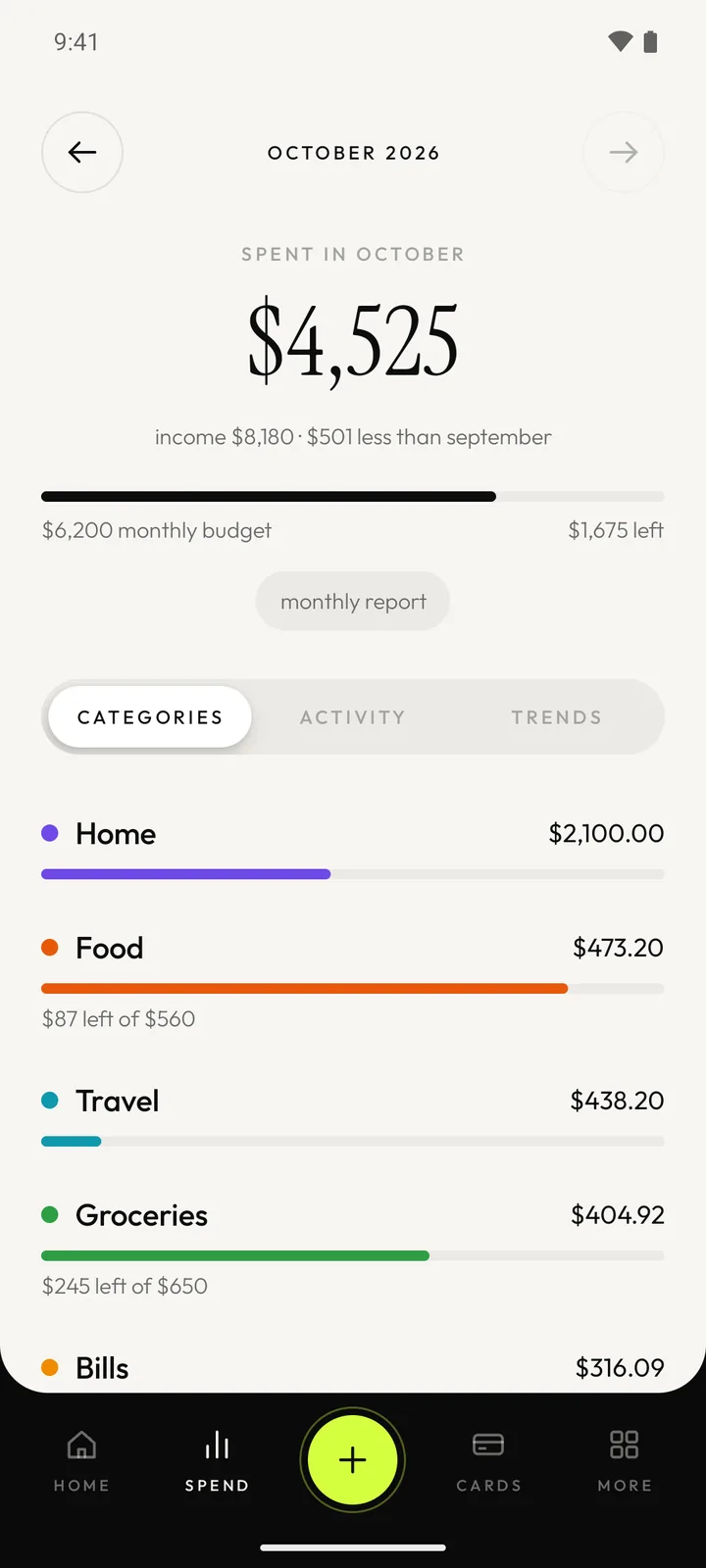
- Budgets
budgets that stay in sight.
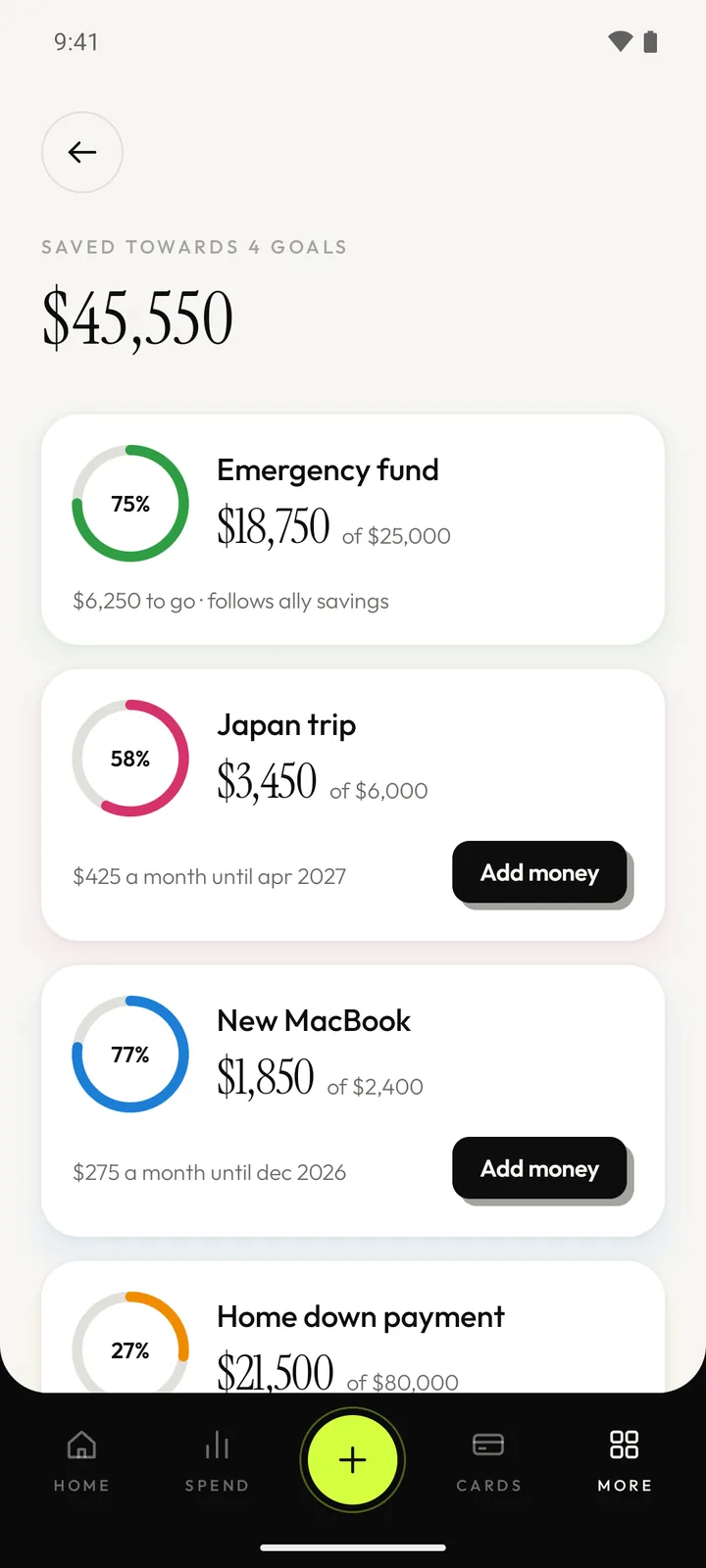
- Goals
save towards what matters.
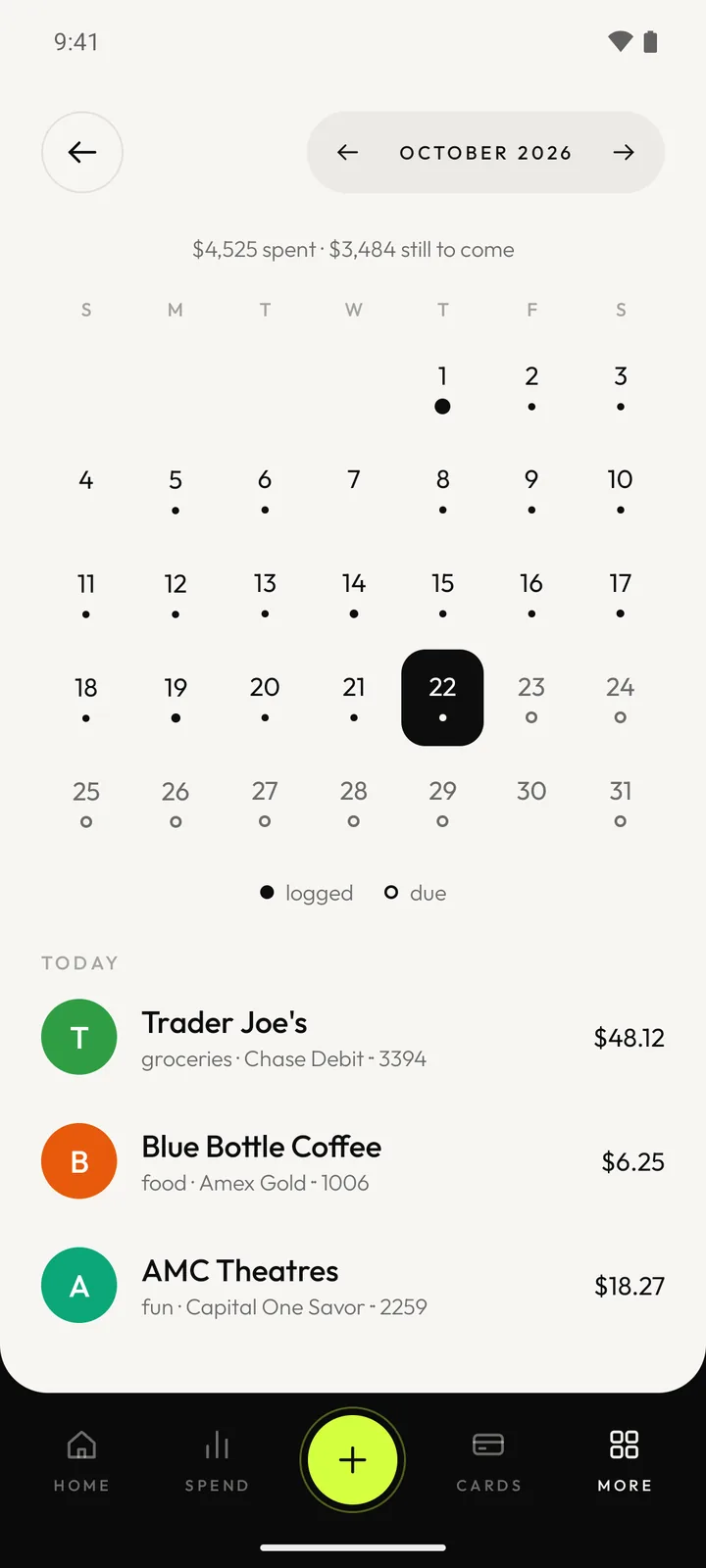
- Calendar
what’s coming, day by day.
The wallet
a wallet that knows when the bill is due.
Credit and debit cards sit in a stack you can flick through, each in one of six finishes with a sheen that follows the tilt of your phone. The amount due follows what you charge and what you pay.
Mark it paid. Pick the account it came out of and the payment is on record.
See what rides on it. Every subscription charged to a card, with its monthly total.
Never the full number. Only the last four digits are kept. The full card number is never entered or stored.



Getting started
bring your history with you.
Nothing is typed twice. Whatever PANAM reads is shown to you first, and the last import can be undone. Imports and scanning are part of PANAM pro.
- 01
Bank exportsPro
Pick a CSV or JSON file from your bank, a spreadsheet or another app. Columns are worked out for you and can be corrected before anything is added.
- 02
PDF statementsPro
A bank or card statement is read on the phone, password-protected ones included. The password is used once and not kept.
- 03
Receipts and screenshotsPro
Scan a receipt or share a payment screenshot. The text recogniser is built into the app, so the picture goes nowhere.
- 04
Share to PANAM
Share a bank or card alert from any app and it opens as a prefilled entry for you to check and save.
your finances are nobody else's business.
PANAM keeps everything in the app's own storage on your phone. There is no server on the other end, because there is no other end.
Worth knowing: the app does not have its own lock or encryption yet, and a backup is a plain file that anyone holding it can read. Both are covered in the privacy policy.
- It cannot go online
- The app holds no internet permission. There is no way for your data to leave the phone unless you export it.
- No account, no analytics, no ads
- There is nothing to sign in to, no backend, and no tracking or advertising code in the app.
- It does not read your messages
- PANAM never reads SMS or email. An alert, a picture or a statement only reaches it when you share or pick it.
- Last 4 digits only
- Full card numbers are never entered. Only the last four digits of a card are kept.
And the rest
the small things, taken care of.
- Reminders before bills are due
- A daily check nudges you ahead of each renewal and card bill, on a schedule you set.
- Categories fill themselves in
- A new entry takes the category you filed that merchant under before. Picking one by hand always wins.
- Every currency
- Each entry, card and subscription keeps its own currency. You type the exchange rates in; the app never goes online for them.
- A home-screen widgetPro
- What is left this month, your net worth and the next thing due, with a shortcut to add an entry.
- Repeating expenses
- Rent, fees and instalments log themselves each time they come round, kept separate from your subscriptions.
- Backup you control
- Save everything to one file wherever you choose, and restore it on a new phone.
PANAM pro
free to use. pro takes the limits off.
PANAM is free for as long as you like. Pro is bought through Google Play on your Google account, as a yearly plan or a one-time lifetime purchase. Google handles the payment, and the price shows in your own currency in Play.
| Feature | Free | Pro |
|---|---|---|
| Subscriptions | Up to 5 | No limit |
| Cards | Up to 2 | No limit |
| Entries typed in by hand | 50 a month | No limit |
| Budgets, goals, net worth, reminders and the calendar | Included | Included |
| Share a bank or card alert to PANAM | Included | Included |
| Backup and restore | Included | Included |
| Imports from bank exports and PDF statements | None | Included |
| Receipt and screenshot scanning | None | Included |
| Trends and the monthly report | None | Included |
| The home-screen widget | None | Included |
| Price | Free | Yearly, or a one-time lifetime purchase |
- Yearly
- Renews each year until you cancel it in Google Play.
- Lifetime
- Bought once and kept. It follows your Google account.

your money. one place.
More from Thryve
All apps- Thryve PDFEverything you do to a PDF, in one place.Web
- Thryve PhotoResize, clean up and export any image.Web
- Thryve MediaTrim, join and convert video and audio.Web
- Thryve InvoiceGST-ready invoices and quotes in minutes.Web
 Declutter!A cozy puzzle game about tidy drawers.Mobile
 Desi BlocksA block puzzle with a desi heart.Mobile
 SleepCardA sleep tracker that works like a credit card.Mobile
 Habit CricketA habit tracker scored like a cricket innings.Mobile
 TidemarkSee where your disk space went, and why.Windows
 DockieA shelf at the top of your screen.Windows